
Note
Go to the end to download the full example code.
Isosurface with povray#
Render an isosurface and atoms with povray
import numpy as np

from ase.build import bulk
from ase.io import write

density_cut_off = 0.15

rotation = '24x, 34y, 14z'

atoms = bulk('Au', cubic=True) * (2, 2, 2)

axis = np.linspace(-1, 1, 100)
X, Y, Z = np.meshgrid(axis, axis, axis)
isodata = np.exp(-0.5 * (X**2 + 2 * Y**2 + 3 * Z**2))

povray_settings = {
    'pause': False,  # Pause when done rendering (only if display)
    'transparent': False,  # Transparent background
    'canvas_width': None,  # Width of canvas in pixels
    'canvas_height': 1024,  # Height of canvas in pixels
    'camera_dist': 25.0,  # Distance from camera to front atom
    'camera_type': 'orthographic angle 35',  # 'perspective angle 20'
    'textures': len(atoms) * ['ase3'],
}

generic_projection_settings = {
    'rotation': rotation,
    'radii': atoms.positions.shape[0] * [0.3],
    'show_unit_cell': 1,
}

write(
    'isosurface.pov',
    atoms,
    **generic_projection_settings,
    povray_settings=povray_settings,
    isosurface_data=dict(density_grid=isodata, cut_off=density_cut_off),
).render()
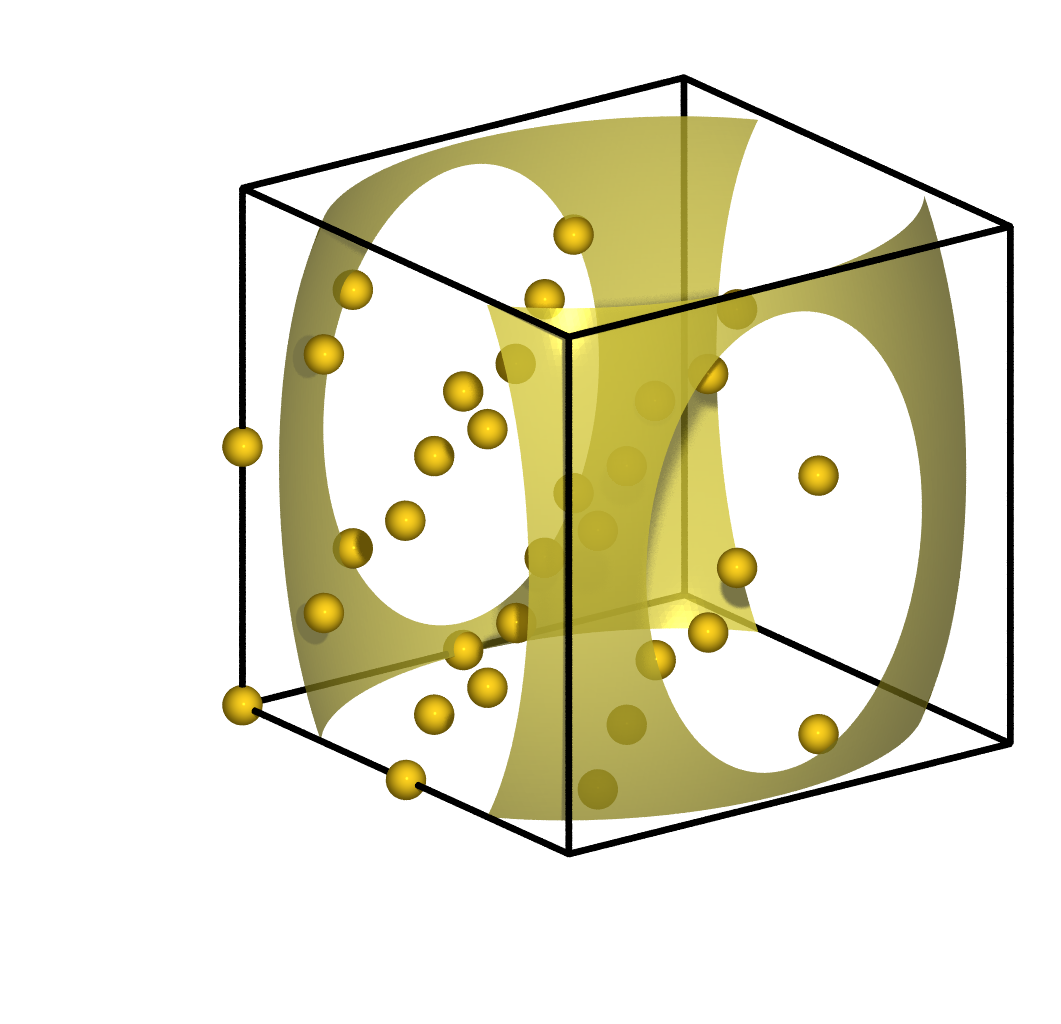
PosixPath('/builds/ase/ase-deploy/examples/gallery/isosurface.png')